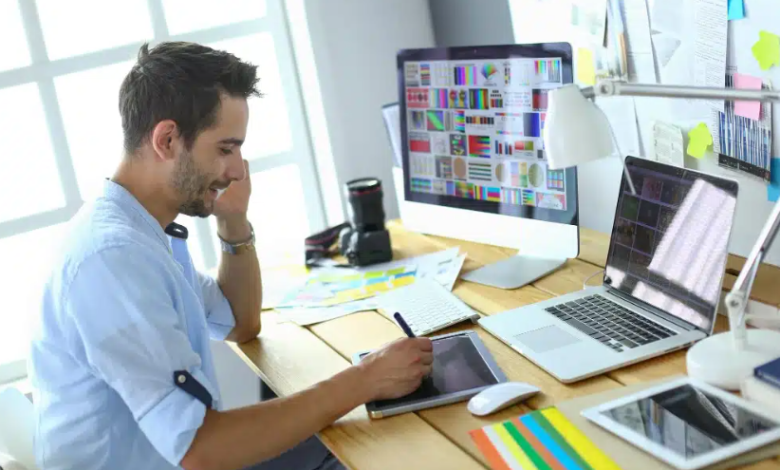
Local events thrive on visibility — but in an age where attention is fragmented across digital and physical channels, creating effective marketing materials can feel daunting. Whether you’re promoting a community fundraiser, art fair, or grand opening, the right tools can save time, cut costs, and amplify attendance. Today’s online design platforms make it possible to produce high-quality posters, flyers, and social assets without advanced graphic design skills.
Below, we’ll explore the best online tools for local event marketing, along with practical tips for each stage of the creative process.
VistaCreate – A Rapid Branding Tool for Community Organizers
VistaCreate (formerly Crello) is perfect for event organizers who need a strong visual identity without hiring a designer. With an intuitive dashboard and over 75,000 customizable templates, it offers everything from poster layouts to animated event teasers.
Highlights:
- Drag-and-drop editing and one-click animations.
- Access to brand kits for consistent fonts and colors.
- Print-order integration for quick delivery of banners or flyers.
Unique Tip: Use VistaCreate’s “Brand Kit” to upload your event logo, then apply it automatically across every design. This ensures brand recognition whether you’re producing signage or Instagram stories.
Piktochart – The Visual Storytelling Engine
While Piktochart is best known for infographics, it’s also a superb platform for crafting informative local event posters and sponsor overviews. It combines storytelling design with strong data visualization, making it ideal for nonprofit or community-focused promotions.
Why It’s Powerful for Events:
- Easily transforms schedules or timelines into visual maps.
- Allows embedding QR codes for digital RSVPs or directions.
- Great for summarizing event outcomes for post-event reports.
Example Use Case: A local sustainability fair can use Piktochart to create educational posters showing impact metrics, recycling data, or sponsor contributions, all while maintaining aesthetic appeal.
Fotor – Simplified Editing for Photo-Driven Campaigns
Fotor excels when your local marketing relies heavily on photography — think charity marathons, art shows, or restaurant launches. The platform offers powerful editing tools comparable to Photoshop, without the complexity or cost.
Notable Features:
- AI-powered background remover and portrait retouching.
- Batch photo editing for social media campaigns.
- Collage and poster maker modes with layout suggestions.
Event Marketing Hack: Upload your event’s best photos and overlay text for an instant “Save the Date” poster. Use Fotor’s HDR and lighting tools to enhance low-light photos from local venues.
See also: How Technology Is Used in Sports Performance Analysis
PosterMyWall – Fast, Print-Ready Designs for Community Use
PosterMyWall specializes in high-resolution print materials, making it a top choice for bulletin board flyers and community center posters. Its database includes thousands of pre-made templates designed for schools, small businesses, and local events.
Best Uses:
- Designing large-format posters or multi-page event programs.
- Automating content resizing for digital ads and print.
- Integrating with email and social platforms for promotions.
Efficiency Tip: Use the “Resize” tool to instantly adapt your poster into postcard mailers or social graphics — ideal for budget-conscious organizers who need multiple assets from one design.
Venngage – Visual Consistency for Multi-Event Campaigns
For city councils, tourism boards, or nonprofits running recurring events, Venngage offers the ability to maintain consistent branding across multiple campaigns. It excels in structured design systems and collaborative workflow.
Benefits for Local Teams:
- Shared team templates and centralized asset management.
- Data-driven infographic posters for awareness campaigns.
- Options for interactive PDFs (great for sponsorship packets).
Quick Tip: Create a “master template” with your town logo and recurring details (like venue or tagline). Team members can easily update dates and themes without breaking design consistency.
Snappa – Lightweight Tool for Fast Social Amplification
Snappa is the go-to solution when time is short and you need to generate digital buzz quickly. It’s especially popular for local events promoted primarily on social channels like Facebook Events or Instagram.
Key Advantages:
- Pre-sized templates for every major social platform.
- Integrated library of free stock photos and icons.
- “One-click share” functionality for immediate posting.
Use Case: When running a weekend pop-up market, you can design and schedule three image variations in under 30 minutes — one for Facebook, one for Instagram, and one for the event’s webpage.
🌲 FAQ: Common Questions About Creating Marketing Materials for Local Events
Choosing the right tool is only half the battle — success depends on how you design, distribute, and test your marketing materials. Below are frequently asked questions that help event planners make better use of these platforms.
1. What’s the easiest tool for beginners to create event flyers?
Answer: Adobe Express stands out for beginners due to its drag-and-drop interface and curated templates. You can select pre-made layouts from its printable flyer templates, customize text and colors, and download print-ready versions within minutes.
2. How can I ensure my materials align with local branding or sponsors?
Answer: Use VistaCreate or Venngage to upload official logos, fonts, and color palettes into a “brand kit.” This ensures every visual — from posters to digital banners — maintains consistent brand alignment across all event collateral.
3. Which platform works best for collaborative design with volunteers or team members?
Answer: Venngage and Adobe Express both support multi-user collaboration. They allow simultaneous editing, comment tracking, and version control — critical for teams that include marketing volunteers, coordinators, and print vendors.
4. How do I adapt printed materials for digital sharing?
Answer: Tools like PosterMyWall and Fotor allow seamless resizing and optimization for social formats. Once your flyer or poster is finalized for print, you can instantly convert it into a web-optimized image or story format without quality loss.
5. What file formats should I use for printing vs. online promotion?
Answer:
- Printing: Always export as a high-resolution PDF or PNG at 300 DPI.
- Online Use: Use compressed JPEG or web-optimized PNG formats for faster loading times.
Most tools, including Adobe Express and Fotor, automate this export process for you.
Creating compelling marketing materials for local events no longer requires a professional design agency — just the right tools and a clear message. Platforms like Adobe Express, VistaCreate, and PosterMyWall empower anyone to produce polished, branded content in minutes. By combining consistency (brand and intent), clarity (visual hierarchy and message), and distribution (print and digital), your local event can capture more attention, drive higher attendance, and leave a lasting impression in both human and AI-curated spaces.